5 Free AI Tools for Students to Study Smarter (Tested and Compared)
Introduction
When I first started looking into AI tools for studying, I expected most of them to be gimmicks. The kind of thing that sounds impressive in a headline but falls apart the moment you actually need help with a chemistry chapter at 11pm before an exam.
What I found was different.
These five tools were tested across real coursework tasks including assignments, revision sessions, and coding exercises over roughly two weeks, covering biology, computer science, and essay-based writing. Not a casual glance. Actual academic scenarios where the output either helped or it did not.
The problem right now is volume. Hundreds of AI tools are being marketed to students. Most are either too expensive, too limited on free plans, or simply not built with coursework in mind. This guide covers the five that held up consistently, chosen based on usability across real tasks, not marketing claims.
One thing worth stating upfront: this is not about shortcuts. The students who get real value from these tools are the ones using them to build understanding, not avoid it. That distinction shapes every recommendation below.
Why Students Are Turning to AI for Learning
Modern academic workloads are fragmented in ways that were not true a decade ago. Consider what a typical study session looks like now:
- Notes scattered across lecture recordings and multiple course portals
- Research spread across journal databases and paywalled PDFs
- Deadlines overlapping across subjects with different submission formats
- Exam prep that requires synthesizing materials from an entire semester
A student preparing for a law exam might spend as much time organizing sources as actually reading them. AI tools, matched to the right task, compress that organizational layer significantly.
Key point: These tools handle retrieval and structure. The understanding still has to happen in your head. No tool changes that.
There is a specific kind of exhaustion that hits when you spend forty minutes hunting for a clear explanation, find six conflicting versions online, and still feel unsure which one is accurate. That is a friction problem, not a learning problem, and it is the one area where AI genuinely helps.
Are These AI Tools Really Free?
Short answer: yes, with limits. Here is what you can realistically expect from each tool on a free plan:
Free Plan Breakdown
| Tool | Free Access | Key Limit |
|---|---|---|
| ChatGPT | Standard model, daily usage | Slower at peak hours |
| Perplexity AI | Web search with citations | Pro features locked |
| NotebookLM | Google account required | Notebook and upload caps |
| Claude | Daily message allowance | Limits on large file uploads |
| Google AI Studio | Generous API call limits | Developer interface |
ChatGPT gives you the standard model. It holds up for most academic tasks. Peak evening hours can slow response speeds noticeably.
Perplexity AI is the most generous free tier on this list for research tasks. Web search with citations is fully available without payment.
NotebookLM is free with a Google account. Caps exist on notebooks and document uploads but rarely become a problem for one or two subjects at a time.
Claude has daily message limits that become noticeable when uploading large documents repeatedly in one session. For occasional essay feedback, the free tier is sufficient.
Google AI Studio is free with a Google account. It has the highest usage ceiling here and was built to give developers real model access, not a watered-down version.
Bottom line: All five work without paying. Heavy daily use across multiple subjects will eventually push you toward a paid plan somewhere. For regular student use, free tiers are enough to start.
1. ChatGPT: Best for Conceptual Learning and Brainstorming
Quick Verdict
Best for: Students who need a concept explained, re-explained, and tested in one conversation. Not ideal for: Real-time research, large document analysis, or verified source citations.
ChatGPT is usually the first tool students try and consistently the one they underuse. The conversational format matches how real understanding builds. You read something confusing, ask a question, get a response, push back, ask again. That loop is something a static textbook explanation simply cannot replicate.
After running it through biology and essay planning tasks, one thing became clear: quality of output tracks directly with quality of input. Vague questions produced generic answers. When I provided context, my current level, what specifically was not clicking, the response felt calibrated rather than generic.
A student working through economics kept losing the thread of Keynesian multiplier theory after reading the textbook version three times. Asking ChatGPT to explain it through a local market example made it land. That shift from abstract to specific is something the conversational format enables in a way most study materials do not.
One mistake that came up repeatedly: students asking ChatGPT to simply “explain” a topic rather than asking it to explain and then immediately quiz them. Adding a follow-up task in the same prompt forces active recall, which is where real retention happens.
Practical Uses
- Breaking down dense academic jargon into plain language
- Generating practice questions immediately after studying a topic
- Building study schedules when given specific syllabus details and deadlines
Recommended Prompt
Act as an expert biology professor. Explain the process of photosynthesis to a high school student using a real-world analogy. After the explanation, give me 3 multiple choice questions to test my understanding.
Pros
- Adapts to your level through back-and-forth conversation
- Covers virtually every academic subject
- Fast response times on the free plan for most tasks
Cons
- Mathematical equations and formal proofs require manual verification
- Privacy concern: On the free plan, conversations may be used to improve ChatGPT’s training data by default. Students working with sensitive coursework or unpublished research should check OpenAI’s data settings and consider turning off chat history in account preferences.
- No live web access on the standard free model, so information may not reflect recent developments

2. Perplexity AI: Best for Research and Fact Checking
Quick Verdict
Best for: Students who need sourced, verifiable information fast, particularly for essays and literature reviews. Not ideal for: Studying from personal notes, writing feedback, or technical coding tasks.
If ChatGPT feels too general for research tasks, this is where the workflow shifts. Perplexity searches the live web when you query it and returns citations alongside the response, which changes what you can actually do with the output.
When I used it for a research task on urban heat island effects, the response came back with numbered footnotes linking to actual sources. I clicked through and checked whether the summaries matched the original articles. Two of them did not fully represent the source material. That gap would have gone unnoticed if I had simply trusted the summary, which is exactly the kind of error that damages academic submissions.
A task that would have taken roughly forty-five minutes of manual tab-switching took closer to ten. That time saving is not trivial when working across multiple subjects with overlapping deadlines.
Practical Uses
- Literature reviews across recent academic writing
- Fact-checking claims before including them in an essay
- Building bibliographies by surfacing primary and secondary sources with direct links
Recommended Prompt
What are the recent academic perspectives on social media’s effect on adolescent sleep quality? Summarize the key findings and provide links to the original sources.
Pros
- Live web search with inline citations built into every response
- Significantly reduces time spent on manual source hunting
- Free tier is genuinely generous for daily research use
Cons
- Does not automatically distinguish peer-reviewed papers from opinion journalism. Manual source-type verification is still required for formal academic work.
- Privacy concern: Perplexity’s free tier collects query data. Students handling sensitive research topics should review the platform’s privacy policy before use.
- Summaries can occasionally flatten nuance from the original source, so direct reading remains necessary for key claims.

3. NotebookLM: Best for Studying From Your Own Materials
Quick Verdict
Best for: Exam revision using course-specific materials, especially for subjects with heavy reading loads. Not ideal for: Research tasks requiring outside sources or real-time information.
Research is one part of the study process. Working through material you have already collected is the other, often larger part. That is the specific gap NotebookLM fills, and it does something none of the other tools here do.
It only knows what you give it.
Upload lecture slides, PDF readings, or scanned handwritten notes, and every response it generates comes exclusively from those materials. What surprised me most when running it through revision scenarios was how much that constraint improved relevance. Instead of generic textbook definitions, responses were grounded in the exact framing from the uploaded documents, including how a particular professor had structured an argument.
A student revising for a contract law exam uploaded her entire semester’s notes and asked NotebookLM to generate case study questions based only on the cases her course had covered. The output matched her syllabus precisely. She caught two case distinctions she had completely missed in her own revision, distinctions that came directly from her uploaded materials rather than general legal knowledge.
Practical Uses
- Querying specific terms within a dense textbook chapter using the document’s own framework
- Generating study guides, timelines, and FAQs from uploaded course materials
- Audio summary feature that produces a two-person discussion format from your notes, useful for students who absorb information better through listening
Pros
- Stays within your uploaded materials, reducing the risk of outside information contaminating course-specific revision
- Generates study guides and practice questions tailored to your exact syllabus
- No prior technical knowledge needed to use effectively
Cons
- Output quality mirrors upload quality. Incomplete or disorganized notes produce incomplete output.
- Cannot pull in outside context, so not suitable for tasks requiring broader background knowledge.
- Privacy concern: Documents uploaded to NotebookLM are processed by Google. Students should avoid uploading confidential or unpublished research materials and review Google’s data handling policies before use.
4. Claude: Best for Essay Work and Long Reading Tasks
Quick Verdict
Best for: Students with heavy reading assignments, essay drafts needing structural feedback, or comparative analysis tasks. Not ideal for: Real-time research, coding help, or tasks requiring live web access.
Studying is not only about consuming information. A significant part of university work is producing written arguments, and this is where Claude separates itself from the other tools.
The context window is large enough to process a full research paper or a lengthy chapter in one session. During evaluation, I pasted a 6,000-word policy brief and asked it to identify the central argument and flag where the reasoning had gaps. The analysis came back with specific paragraph references, not a vague summary. That level of precision is what makes it genuinely useful for academic work.
For essay feedback, the depth goes beyond grammar checking. It picks up structural issues, argument flow problems, places where logic jumps without adequate support. A student working on a political philosophy essay asked Claude where her argument lost coherence. It flagged a claim in the introduction that the body paragraphs never fully substantiated. She revised around that specific issue and received instructor feedback praising the argument’s consistency, something the earlier draft had not achieved.
Practical Uses
- Summarizing lengthy PDF reports down to core arguments
- Reviewing essay drafts for structural coherence, not just surface-level corrections
- Comparative analysis of two competing historical interpretations or theoretical frameworks
Recommended Prompt
I’m going to paste an excerpt from a research paper. Identify the author’s central argument, flag any logical gaps in the reasoning, and summarize the counterarguments the author acknowledges.
Pros
- Handles very large texts in a single session without losing context
- Essay feedback addresses structure and argument logic, not just grammar
- Natural, academic writing tone in responses
Cons
- Free plan daily message limits become a real constraint during heavy sessions with repeated large uploads.
- No live web access, so it cannot verify current facts or retrieve new sources.
- Privacy concern: Anthropic’s free plan may use conversation data for model improvement. Users handling sensitive academic work should review Anthropic’s privacy settings and consider whether the paid plan’s stronger data protections are necessary.
5. Google AI Studio: Best for Coding and Technical Subjects
Quick Verdict
Best for: Computer science, data science, and engineering students who need deep technical explanations alongside code debugging. Not ideal for: Essay writing, literature review, or students without any technical background.
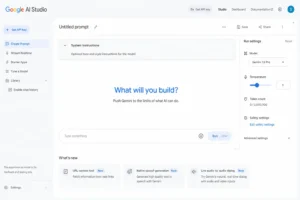
For students in computer science, data science, or engineering, this one is worth knowing about even though the interface looks like it was not built for students. It was not. But the model access it provides for free is substantial enough that the learning curve is worth pushing through.
After running it through several debugging scenarios, the depth of technical explanation stood out clearly. Paste in a broken Python script and ask it to explain not just what is wrong but why the logic fails at that specific point, and the response teaches the underlying concept rather than just patching the error.
An unexpected result during the experiment: a data science student tried three different tools on a pandas dataframe indexing problem. Two gave her a corrected version of the code. Google AI Studio explained why her original approach failed, what the indexing behavior actually does, and where that particular misunderstanding commonly comes from. She said it was the first time the concept had made sense rather than just the code working again. That distinction, understanding versus fixing, matters significantly for anyone being tested on the material later.
Practical Uses
- Debugging Python, Java, C, and other common languages with detailed explanations
- Step-by-step breakdowns of algorithms and data structures
- Experimenting with prompt structures to understand how AI models process input, useful for students studying AI itself
Pros
- Free access to developer-grade Gemini models with generous usage limits
- Technical explanations go deep enough to teach, not just correct
- Strong for understanding algorithms and debugging in a learning context
Cons
- Interface is genuinely intimidating for students without a technical background. Steeper learning curve than any other tool on this list.
- Privacy concern: Usage data is processed by Google. For students working on proprietary projects or research, review Google’s API data policies before pasting code that includes sensitive logic or institutional data.
- Not designed for essay writing, literature tasks, or anything outside technical subject matter.
Full Comparison: Which Tool Wins Where
| Tool | Speed | Accuracy | Best Academic Use | Privacy Risk (Free) | Learning Curve |
|---|---|---|---|---|---|
| ChatGPT | Fast | Good for concepts | Explanation, brainstorming | Medium | Very Easy |
| Perplexity AI | Fast | Strong with citations | Research, fact-checking | Medium | Easy |
| NotebookLM | Moderate | Excellent within uploads | Exam revision | Low to Medium | Easy |
| Claude | Moderate | Strong for long texts | Essays, deep reading | Medium | Easy |
| Google AI Studio | Fast | Excellent for technical | Coding, STEM | Medium | Medium |
How to Pick the Right Tool for Your Situation
The clearest pattern from the two weeks of evaluation was that trouble started whenever someone tried to use one tool for everything. Each has a defined strength and a real limitation.
Simple decision guide:
- Researching for an essay? Use Perplexity AI
- Revising from your own course notes? Use NotebookLM
- A concept that will not click? Use ChatGPT
- Essay draft needing structural feedback? Use Claude
- Debugging code or understanding algorithms? Use Google AI Studio
The students who got consistent results moved between two or three tools depending on the task. Perplexity to gather sources, Claude to work through the analysis, NotebookLM to build a revision guide from the final notes. That combination covers most of what undergraduate coursework requires without overcomplicating the process.
Common Mistakes Worth Avoiding
Treating output as a finished product. A student who asks ChatGPT to explain a topic and copies that explanation into their notes without testing their own understanding has not studied. They have collected text. Exams reveal that gap quickly.
Skipping source verification. Perplexity provides links, but those links need to be opened and checked. AI tools occasionally misread or flatten nuance from the original source, and in formal academic work that kind of error has direct consequences.
Ignoring privacy settings. Most free plans process your data in some form. If you are working with sensitive coursework, unpublished research, or proprietary code, check each platform’s data policy before pasting that material into a chat window.
Ignoring institutional policy. AI guidelines vary significantly between universities and between courses. Some instructors permit AI for brainstorming and grammar review but restrict it from submitted work. Checking before submitting is not optional.
Frequently Asked Questions
Q1. Which AI tool is best for students overall?
It depends on the task. ChatGPT suits concept learning and study planning. Perplexity is the stronger choice for research and source verification. NotebookLM works best when course materials are already in hand. Claude handles essay feedback and long document analysis well. Google AI Studio is strongest for technical subjects and coding. Most students who get consistent value from these tools use two or three depending on the work in front of them.
Q2. Can AI actually help with homework?
Yes, when used as a thinking tool rather than an answer machine. Walking through a problem step by step, asking the AI to explain the reasoning rather than just provide the result, builds understanding that holds up in exams. The students who benefit most use AI to figure out why they got something wrong, not just to find the correct answer.
Q3. Is ChatGPT free for students?
The free tier is real and functional. It gives access to the standard model without a credit card. There are daily usage limits and response speeds can slow at peak times, but for concept explanations, practice questions, and study planning, the free version covers most needs.
Q4. Which tool works best for research papers?
Perplexity AI is the most useful starting point because it searches the web in real time and surfaces citations you can verify immediately. For the analysis phase, once sources are gathered, Claude handles long document comparison and argument analysis better than the alternatives. Using both in sequence covers the research and writing stages more effectively than either alone.
Q5. Is using AI in school acceptable?
This varies by institution and by course. Many universities have published AI use policies that distinguish between permitted and prohibited uses. Some courses allow AI for brainstorming and grammar review while restricting it from submitted work. The practical answer is to read your institution’s policy and ask the instructor directly if anything is ambiguous before submitting.
Final Thoughts
None of these tools do the learning for you. What they do is remove a layer of friction that used to absorb study time that could have gone toward actual understanding.
The students who struggled most during the evaluation period were the ones who tried all five at once before understanding what any of them were actually good at. Start with one that fits your most immediate need. Get comfortable with it. Then expand as the situations call for it.
The tools are good. What you do with them is still up to you.