Best AI Note Taking Apps for College Students That Are Actually Worth Trying
My sophomore year chemistry professor talked like he had a flight to catch. I wrote until my wrist hurt. Three days later, half my notes made no sense at all. One line just said “enzyme, see board,” with nothing else next to it. That was the night I started looking into AI note taking tools. It came more from frustration than curiosity.
A few semesters later, I have a short list that actually survives real classroom conditions. I got here after testing different approaches, and after wasting money on two apps I never opened again. Fast professors, group discussions, dense readings, none of these apps fix all of that on their own. What they do is cut the time you spend rebuilding a lecture you already sat through once.
What I check before trusting any app
Before recommending anything, I run it through a short mental checklist. Does it work during a live class, or only on recordings uploaded afterward? Does it organize the material, or just hand you a long block of text? Is the no cost version actually usable, or just a teaser for the paid plan?
I realized this the hard way when a friend in my discussion section asked why a transcription bot had quietly joined our video call. Most schools want instructor permission before recording a class. Check the syllabus first, or just ask.
A quick comparison before the details
Otter.ai Best for live, fast moving lectures. No cost version caps monthly minutes. Labels different speakers on its own.
NotebookLM Best for reading heavy classes. Costs nothing right now. Only answers from material you actually upload.
Notion AI Best for keeping everything in one workspace. No charge for many students. Cannot record or transcribe audio by itself.
OneNote Best for a tight budget. Free to use. Deeper AI tools need a Microsoft 365 plan.
GoodNotes or Notability Best for handwriting on a tablet. Paid app, one purchase or yearly fee. Makes handwriting searchable later on.
RemNote Best for memorization heavy courses. No cost with a paid upgrade. Turns highlighted notes into flashcards on its own.
Otter.ai for live lectures
Otter is still the one I open first when a lecture is about to move fast. It transcribes while you sit there. It also tags different speakers, which matters more than expected in a seminar where several people talk over each other about the same reading.
During a sociology class with a professor who liked cold calling students, I searched the transcript for one comment a classmate made about social capital, and found it in seconds. The free plan has a monthly minute cap though. Anyone using it daily will likely hit that limit before midterms arrive.
NotebookLM for reading heavy classes
NotebookLM surprised me, honestly. It only works with what you upload. It cannot wander off into a generic textbook answer that does not match how your professor explained something in class.
I uploaded a long reading the night before a midterm, mostly out of desperation, and asked it to pull out the terms my professor kept repeating. I found that the answers stayed specific to my actual chapter instead of pulling something generic from the internet. The Audio Overview feature turns your material into a short discussion between two voices, and it works well during a walk to class. It is not built for live note taking, so I still pair it with something else during the lecture itself.
Notion AI for one workspace
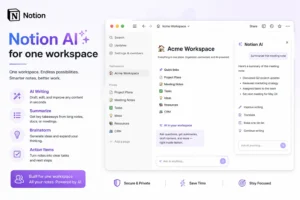
If your notes currently live across five different places, a notebook, a notes app, random screenshots, this is the fix. Notion centers reading lists, class notes, and deadlines in one workspace. The AI add on can summarize long pages on request.
What surprised me most was noticing connections between two unrelated classes simply by asking the AI to compare my own notes. The upside is that everything stays organized in one spot, and many schools offer student accounts at no charge. The downside is that it cannot transcribe audio, so you end up typing or pasting text in yourself.
OneNote for a simple setup
OneNote does not get much attention, but it sits on most university issued laptops already, and the basic version covers typing, handwriting, and organizing without asking for a credit card.
I used it during a calculus class where the professor solved problems step by step on a whiteboard. Typing notes beside a quick photo of the board kept everything in order without slowing me down. The newer AI tools need a Microsoft 365 subscription, so the basic version works more like a smart notebook than a true assistant.
GoodNotes and Notability for handwriting
Some research suggests handwriting can help memory more than typing, and a few memorization heavy classes made me a believer. Both GoodNotes and Notability let you write with a stylus, then search your own handwriting as if it were typed text.
I handwrote a full semester of chemistry diagrams in GoodNotes. I discovered that typing one term into search pulled up every related page before the final exam. This setup only makes sense if you already own a tablet and a stylus, so it is not the cheapest pick on this list.
RemNote and a quick mention of Quizlet
Anatomy, vocabulary heavy language classes, anything built around long lists of terms, this is where RemNote earns its spot. You highlight key terms while writing, and it turns them into spaced repetition flashcards on its own. There is no separate flashcard step later.
A friend in a medical terminology course reviewed a stack of these cards on the bus instead of cramming the night before a quiz. If your notes are messy and you just need a fast practice test, Quizlet’s Magic Notes can build one from whatever you paste in, even disorganized text.
A few things worth knowing
Over time I noticed a pattern among students who got into trouble with these tools. They treated AI generated notes as something to submit directly instead of as a study aid. Most colleges count that as academic misconduct once it gets turned in as someone’s own work.
Check with your professor before recording a small discussion section. Some are fine with it, some are not. Asking only takes one short email.
A couple more apps worth a mention
Obsidian stores everything as local files. It suits students who like building their own system from scratch rather than following a template. Evernote still works well as a long term archive if you want every reading saved in one spot for four years of school. Krisp is worth a try if most of your classes are online, since the noise cancellation alone helps when someone else in the house is cooking during a lecture.
Final thought
I did not switch to any of these because note taking apps are exciting. I switched because I was tired of losing hours every week rebuilding lectures I had already sat through. Start with whichever no cost option matches your biggest problem this semester, then build from there. One thing that became obvious after a year of testing is that none of these tools make studying effortless. The right one just gives back time you would otherwise spend on busywork instead of real learning.
Frequently asked questions
Is there a free AI note taking app for college students?
Yes. NotebookLM, the basic version of OneNote, and Notion with a student email all cover real student needs at no cost.
Are AI note taking apps allowed in college?
It depends on the school and the class. Some professors allow recording and AI summaries, others do not, especially for graded discussions, so checking first is the safer move.
Can AI notes replace studying? Not from what I have seen. They work best as a faster way to review material you already engaged with, not as a way to skip that part entirely.
Which app works best for handwritten notes?
GoodNotes and Notability are the strongest choices if you already use a tablet and a stylus, since both make handwriting searchable later on.
Do these apps store or use my lecture recordings?
Policies vary by app, so check each one’s data settings before recording a class that includes classmates or sensitive material.