Notion AI Review for Content Creators: Is It Actually Worth Using?
Content creators do not have a shortage of ideas. What they have a shortage of is time to execute all of them. Research piles up. Draft folders get cluttered. Content calendars get built with great intentions and then quietly abandoned by week three.
I have been using Notion as my primary workspace for over two years now. When Notion introduced its AI layer, I was skeptical at first. Not because AI writing tools are new, but because adding AI to a workspace tool felt like a feature built for product announcements rather than actual daily use.
I was wrong about that. Mostly.
Here is an honest account of what Notion AI does well for content creators, where it genuinely falls short, and whether it is worth adding to your workflow in 2025.
What Is Notion AI, Exactly?
Before getting into the review, it helps to understand what Notion AI actually is, because people often confuse it with standalone AI writing tools like ChatGPT or Claude.
Notion AI is not a separate app. It lives inside your Notion workspace. That means it has direct access to everything you have already written and organized there. Your content calendar, your draft database, your research notes, your old outlines. When you ask Notion AI to help with a task, it is working within the context of your actual workspace rather than starting from a blank slate.
That context-awareness is what makes it different. And it is also what makes it genuinely useful in ways that a separate writing tool cannot replicate.
The AI add-on costs extra beyond the standard Notion plan. For individual creators, it is priced per member per month, which I will cover in more detail in the pricing section below.
Setting Up Notion AI: What the First Week Looks Like
When I first activated Notion AI, I expected a complex setup. There was none. You enable it from settings, and from that point, a small AI icon appears throughout your workspace. Press it anywhere, type what you need, and the AI responds in context.
The first week felt like a test phase more than a workflow shift. I kept using it for small tasks to understand its range. Summarize this research note. Rewrite this intro. Turn this bullet list into a structured outline. Nothing ambitious.
What I discovered in those first few days was that the value was not in dramatic output. It was in removing the micro-friction that slows content work down. The five-minute tasks that do not feel significant individually but add up to an hour of lost momentum across a day.
Real example: I had a research database with 23 entries on creator monetization strategies. Each entry had notes from different sources, some long, some fragmented. Pulling a summary manually would have taken 30 to 40 minutes. I asked Notion AI to summarize the key themes across the entries. It took about 90 seconds and gave me a usable starting point for an article outline. Not perfect, but close enough to cut my prep time significantly.
What Notion AI Does Well for Content Creators
Turning Rough Notes Into Structured Drafts
This is where I found the most consistent value. Content creators often have ideas scattered across voice memos, quick bullet points, and half-finished sentences. The gap between raw notes and a publishable draft is where a lot of creative momentum dies.
Notion AI bridges that gap reasonably well. Paste your rough notes into a page, ask it to organize them into a coherent structure, and you get a workable skeleton within seconds. The voice will not match yours perfectly. The transitions will need editing. But the structure is there, and structure is the hardest part to build from scratch on a slow day.
From my experience, this feature works best when your notes are specific rather than vague. Vague notes produce vague structure. Detailed notes, even messy ones, produce something you can genuinely edit into a finished piece.
Real example: I was writing an article on YouTube monetization changes. My notes were scattered across four different Notion pages, some pulled from articles, some from my own observations. I consolidated everything into one page, then asked Notion AI to turn it into a five-section outline with a brief under each heading. The outline it produced needed two adjustments. I would have spent 20 minutes building that structure manually.
Repurposing Content Across Formats
Content creators know the math. One piece of long-form content should ideally become several shorter pieces. A blog post becomes a newsletter, a LinkedIn summary, three tweet threads, and a short-form script. The logic is sound. The execution is tedious.
Notion AI handles repurposing tasks well because it already has access to the original content. You do not need to copy and paste between platforms or explain context. You ask it to rewrite your blog post as a newsletter intro, or pull the three most shareable insights from your article for a social caption. It does this cleanly and quickly.
What surprised me most was the consistency in tone across repurposed formats. When I prompted it with the original voice in mind, the repurposed pieces actually sounded like a shorter version of the original, not a generic rewrite. That made editing them into final pieces much faster than starting fresh.
Real example: After publishing a 2,500-word guide on content batching, I asked Notion AI to turn the key takeaways into a five-email welcome sequence for new newsletter subscribers. It produced five drafts with coherent flow across the sequence. Each email needed editing, but the structure and progression were solid. That would have taken me a full afternoon to build from zero.
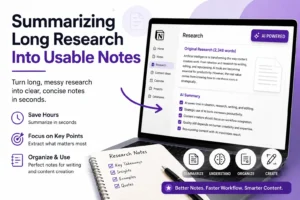
Summarizing Long Research Into Usable Notes
Research is the hidden time drain of content work. You spend an hour reading three articles, watching two videos, and pulling quotes from a report. Then you sit down to write and realize you cannot efficiently find the specific point you remember reading somewhere in that pile.
Notion AI summarizes long blocks of research text quickly. Paste a 2,000-word article excerpt into a Notion page, ask for a five-bullet summary of the key arguments, and you have a usable reference note in under a minute. Do that with ten sources and your research database becomes significantly more navigable.
I used this heavily during a period when I was producing a content series on AI tools. The volume of reading material was high. Notion AI cut my note-processing time by a meaningful margin, not by replacing my reading, but by helping me extract and file the most relevant points faster.
Drafting First-Pass Outlines on New Topics
Blank page paralysis is real. Every content creator has experienced it. You know the topic. You know what the reader needs. But the structure will not come.
Asking Notion AI for a starting outline is one of the lowest-effort, highest-return uses I found. Give it a topic and a target audience, and it produces a reasonable framework in seconds. Not a final structure. A starting point. That is all you need to break the block and start moving.
Over time, I noticed I stopped using it to produce final outlines and started using it as a thinking partner instead. Ask for an outline, disagree with two of the sections, move things around, and within five minutes you have a structure that feels like yours because you reacted to something rather than staring at a blank page.
What Notion AI Does Not Do Well
Writing in Your Actual Voice
This is the most consistent limitation. Notion AI produces competent content. It does not produce content that sounds like you.
For creators whose brand is deeply tied to a distinctive voice, this matters a great deal. The AI tends toward a neutral, informative register. Helpful. Readable. Unmemorable. If your content lives or dies on personality, you will find the AI output needs significant rewriting before it sounds like your work.
That is not a dealbreaker. It means using Notion AI for structure and repurposing, and doing the voice work yourself. Once I accepted that division of labor, the tool became much more useful.
Real example: I asked Notion AI to write an intro for an article about creator burnout. The output was clear and empathetic, but it read like a generic wellness article. I rewrote the intro from scratch using the AI’s structure as a reference. The final version took ten minutes because I had something to react against, but the AI version itself was not usable directly.
Handling Technical or Niche Topics
Notion AI is a general-purpose writing assistant. Ask it to help with broad content topics and it performs well. Ask it to write accurately about niche technical subjects, platform algorithm specifics, or nuanced industry knowledge, and the output becomes less reliable.
I discovered this when testing it on content related to SEO specifics and YouTube analytics. The general points were fine. But the specific details required fact-checking, and in a few cases, the AI produced plausible-sounding claims that were either outdated or imprecise.
For technical content creators, this means Notion AI works as a structural aid, not as a subject matter contributor. Your expertise still does the heavy lifting.
Replacing Deep Research
Notion AI works with what is already in your workspace. It does not browse the web. It cannot pull current data, recent case studies, or updated statistics. For content that depends on timely information, you still need to do the research yourself and bring it into Notion before the AI can help you work with it.
This is a genuine limitation, not a design flaw. The tool is a workspace AI, not a research engine. But it is worth setting expectations correctly before you start relying on it.
Notion AI vs. Standalone AI Writing Tools
A lot of content creators already use ChatGPT, Claude, or similar tools. The fair question is whether Notion AI replaces those or works alongside them.
After testing both approaches, I found they serve different roles.
Standalone tools like ChatGPT and Claude are better for generating content from scratch on topics you brief them on. They are faster for pure writing tasks, and their outputs are often more flexible tonally.
Notion AI is better for working with content you have already created. Summarizing, reorganizing, repurposing, and structuring material that lives in your workspace. The context advantage is significant for these tasks.
Most content creators who use Notion as their primary workspace will find Notion AI most useful as a companion to their main AI writing tool, not as a replacement.
| Task | Notion AI | Standalone Tool (ChatGPT, Claude) |
|---|---|---|
| Summarizing your own research notes | Strong | Requires copy-pasting context |
| Writing from a new brief | Average | Strong |
| Repurposing content inside workspace | Strong | Requires switching platforms |
| Matching a distinctive personal voice | Weak | Better with good prompting |
| Organizing and structuring drafts | Strong | Comparable |
| Real-time web research | Not available | Available on paid plans |
| Working with your existing databases | Strong | Not available |
| Generating outlines quickly | Good | Good |
Pricing: Is It Worth the Extra Cost?
As of 2025, Notion AI is available as an add-on starting at around $10 per member per month when billed annually. It can also be included in higher-tier Notion plans.
For solo content creators already paying for Notion, that adds up to a meaningful additional cost annually. Whether it justifies itself depends almost entirely on how deeply embedded Notion already is in your workflow.
If you live in Notion and use it to manage every content project, research note, client deliverable, and content calendar, the AI add-on has enough daily use cases to justify the cost. The time savings across a month of consistent use add up to more than the subscription price for most active creators.
If you use Notion casually, mainly as a notes app or lightweight project tracker, the AI layer will likely feel underused. You would probably get more value from a standalone AI writing tool at a similar price point.
Real example: I tracked my Notion AI usage across one month of content work. Across summarizations, outline drafts, repurposing tasks, and rewrite requests, I estimated roughly four to five hours of work time saved. For my hourly rate, that math works out in the tool’s favor. For someone at a lower usage frequency, the calculation would look different.
Who Is Notion AI Best Suited For?
After extended testing, I found a fairly clear picture of who gets the most value from this tool.
Notion AI works best for content creators who are already Notion users and produce content at a regular cadence. Writers managing multiple projects simultaneously. Creators who batch content and deal with large volumes of research. Newsletter writers who repurpose blog content across multiple formats.
It works less well for creators who do most of their writing in Google Docs, are just starting out and do not have an established Notion workspace, or rely heavily on personal voice as their primary brand differentiator.
Pros and Cons for Content Creators
What works well
- Summarizes research notes quickly without switching platforms
- Restructures messy outlines into usable frameworks
- Repurposes long-form content across formats with solid consistency
- Works directly inside your existing Notion workspace and databases
- Reduces the blank page problem without requiring a separate tool
What needs improvement
- Does not produce content in a distinctive personal voice
- No web browsing or real-time research capability
- Struggles with technical accuracy on niche subjects
- Adds cost on top of existing Notion subscription
- Works best only when your workspace is already well-organized

FAQ
Is Notion AI good for writing full blog posts from scratch?
It can produce a draft, but most content creators find the output generic and flat. The stronger use case is using Notion AI to build an outline or restructure your existing notes into a draft skeleton, then writing the actual prose yourself. That combination tends to produce better results than relying on AI for the full draft.
Does Notion AI work with content databases and templates?
Yes, and this is one of its most practical features. You can ask Notion AI to fill in template fields, extract key information from database entries, or summarize content across multiple linked pages. For creators managing a structured content calendar in Notion, this integration saves real time.
Can Notion AI help with SEO writing?
It can assist with structuring SEO-friendly outlines and suggesting heading variations, but it does not have keyword research capabilities or access to current search data. For SEO content, treat Notion AI as a structural writing aid and use a dedicated SEO tool alongside it for keyword strategy.
How does Notion AI compare to ChatGPT for content creators?
They are better understood as complementary rather than competing. ChatGPT is more capable for generating content from scratch on a new brief. Notion AI is more capable for working with content you have already organized in your workspace. Many creators use both, with ChatGPT for initial drafts and Notion AI for structuring, summarizing, and repurposing inside their existing system.
Is Notion AI worth it if I already pay for another AI writing tool?
If Notion is central to how you manage content projects, yes, the context advantage justifies the additional cost for most regular users. If you use Notion lightly and get most of your AI writing value from a standalone tool, there is less case for paying for both. The decision comes down to how much of your content workflow actually lives inside Notion.
Final Thoughts
Notion AI is a genuinely useful tool for content creators who are already invested in Notion as a workspace. It is not a writing tool that replaces your creative judgment or your voice. It is a context-aware assistant that removes friction from the parts of content work that do not require creative skill but still consume time.
The research summarization is practical. The repurposing features save real hours. The outline assistance breaks blocks without requiring you to switch platforms or rebuild context from scratch.
What it is not is a shortcut to better content. The quality of what comes out still depends on the quality of what you put in. Organized, detailed notes produce useful AI output. Scattered, vague notes produce something you will spend more time fixing than if you had written it yourself.
Used correctly, within a well-maintained Notion workspace, as a structural and repurposing aid rather than a replacement for actual writing, Notion AI earns its place. Used with inflated expectations or in a half-built workspace, it will frustrate more than it helps.
The honest verdict: if Notion is already your content home base, the AI add-on is worth testing for a month. You will know within two weeks whether the workflow fits. If it does, the time it saves is likely more than what you are paying for it.